Quote it, deliver it, get paid. All in one place.
Kanvo is the simple back office for freelancers and small studios. Send quotes clients accept online, track every piece of work, bill the extras automatically and know who owes you what.
Free plan for up to 3 clients. No card needed.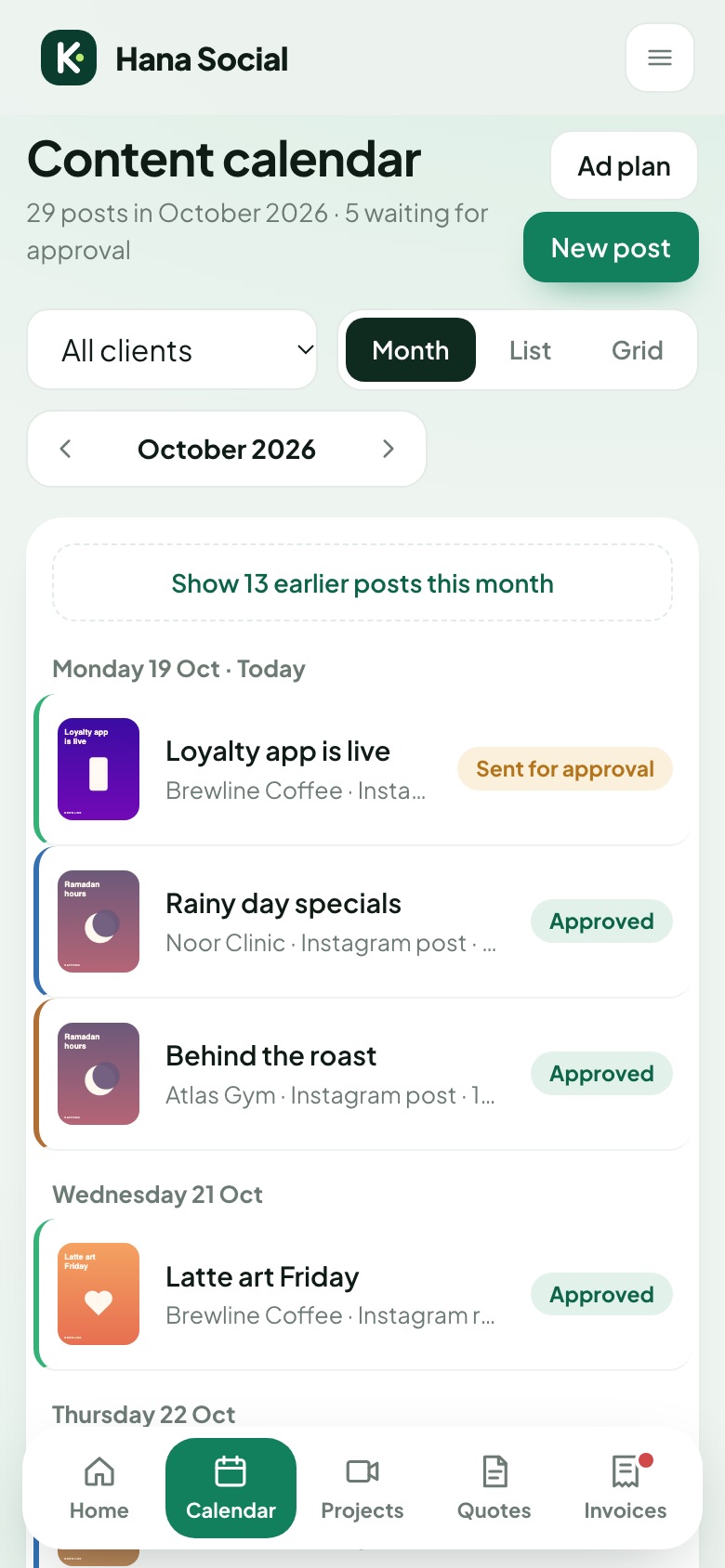
Set up for the work you do
Pick your profession and Kanvo starts with the right rates, project stages and terms. Try a live demo of each, no account needed.
Less admin. More paid work.
The parts of freelancing that usually live in spreadsheets, WhatsApp threads and memory, in one tool that works on your phone.
Clients accept your quote online
Send a link instead of a PDF. Your client accepts on their phone and the project is set up for you.
Send a link instead of a PDF. Your client reads the quote on their phone, types their name to accept, and the project is set up for you. The PDF is still there for accounting.
- Price per item, or one package price
- Payment stages like 50% to book, 50% on delivery
- See when the client opened it
- Change details for one client without touching your rate card
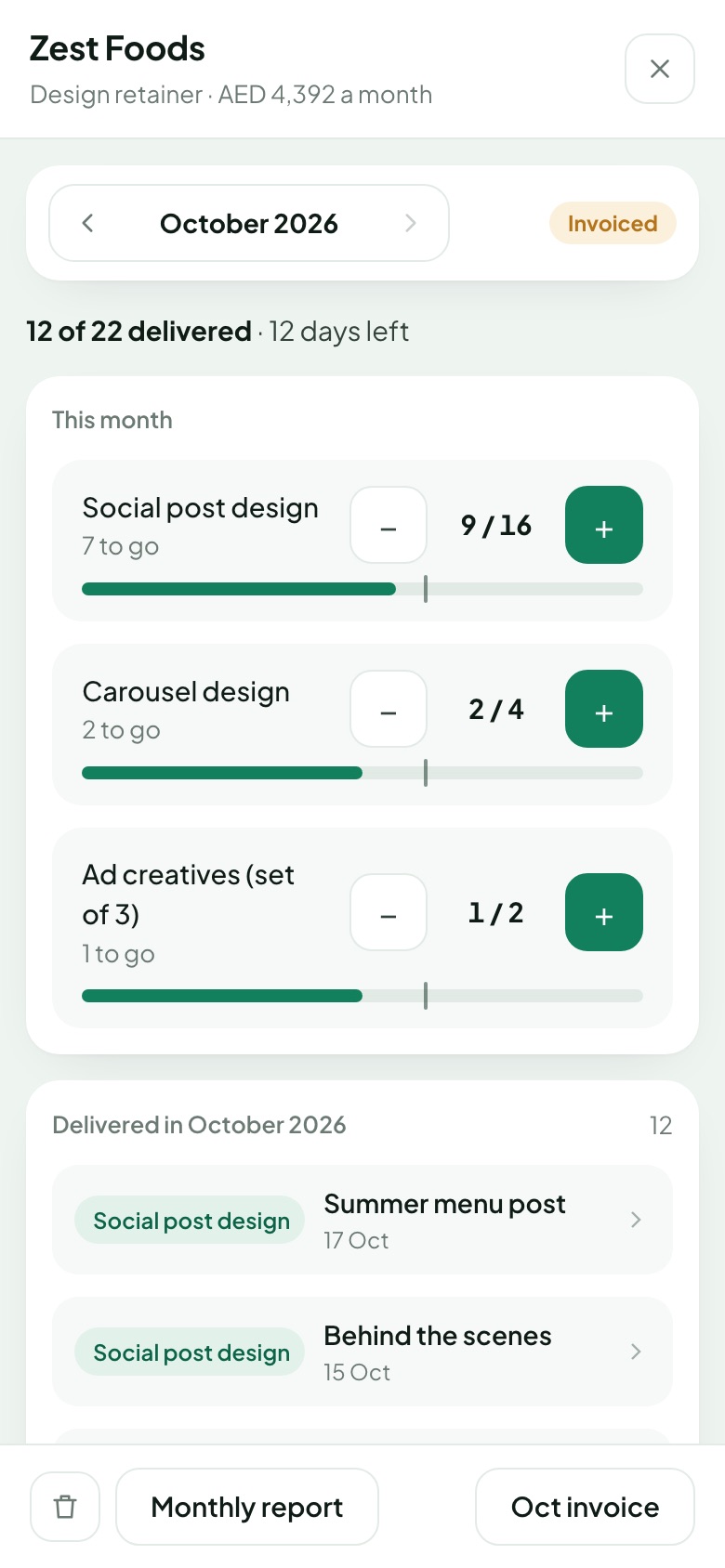
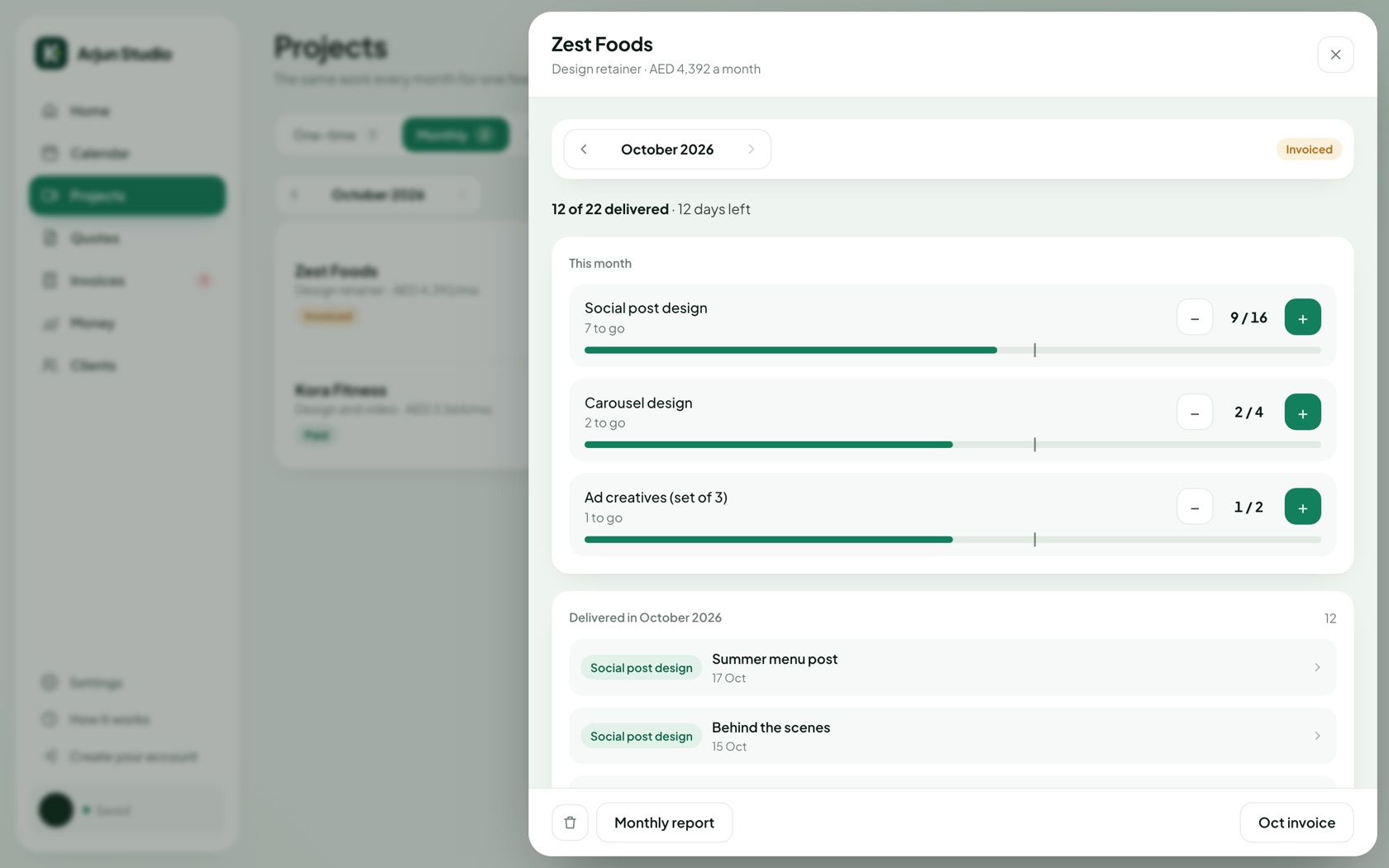
Every extra gets billed
Log each piece against the package. Extras and extra revision rounds go on next month's invoice.
Track each post, reel or design against the client's monthly package. Pieces beyond the package, and revision rounds beyond what's included, are priced from your rate card and added to next month's invoice.
- One tap to log a delivered piece, with a title and file link
- Revision rounds counted on every piece
- Invoices drafted on the 1st of the month
- A one-page monthly report for the client
Plan content clients can approve
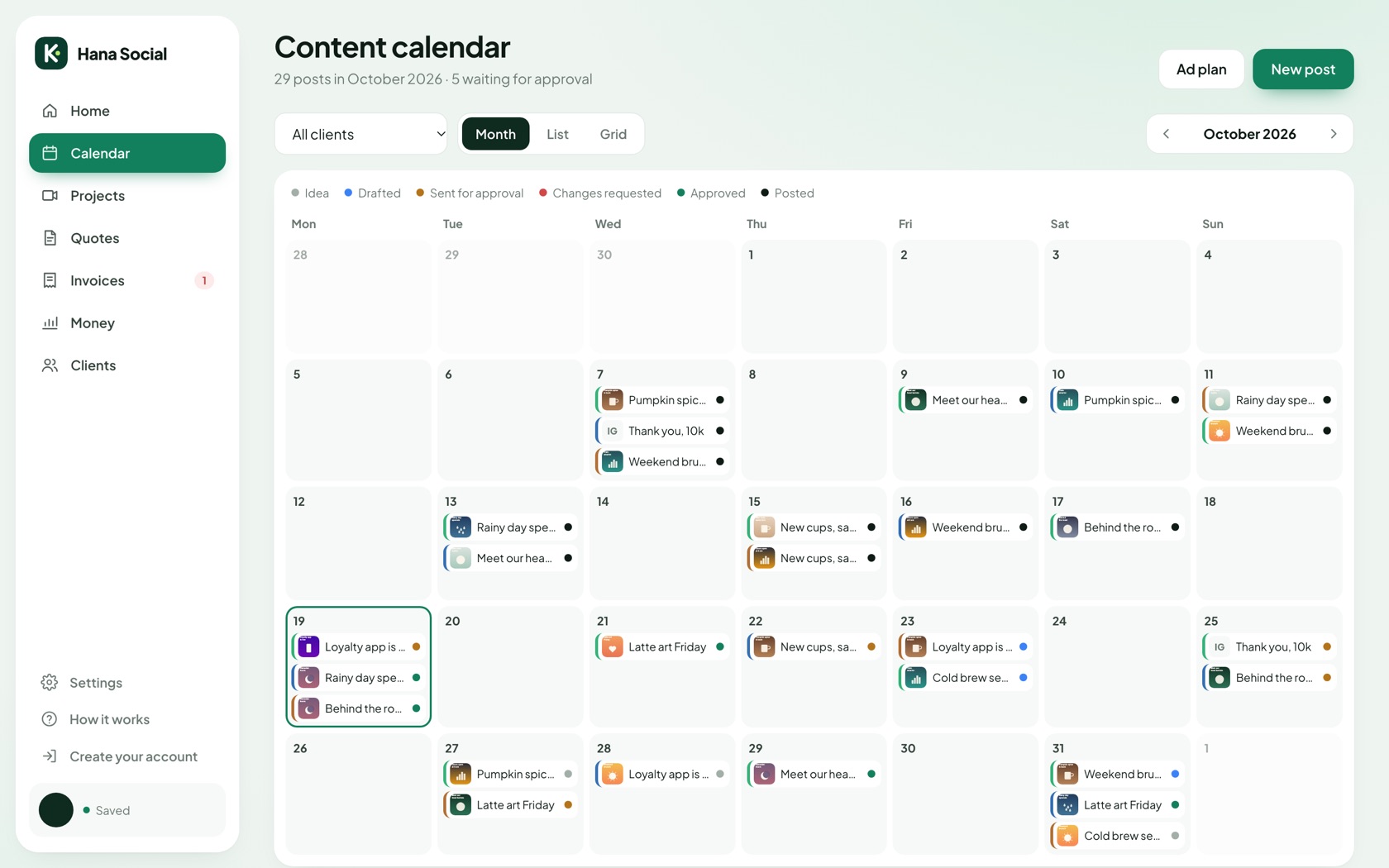
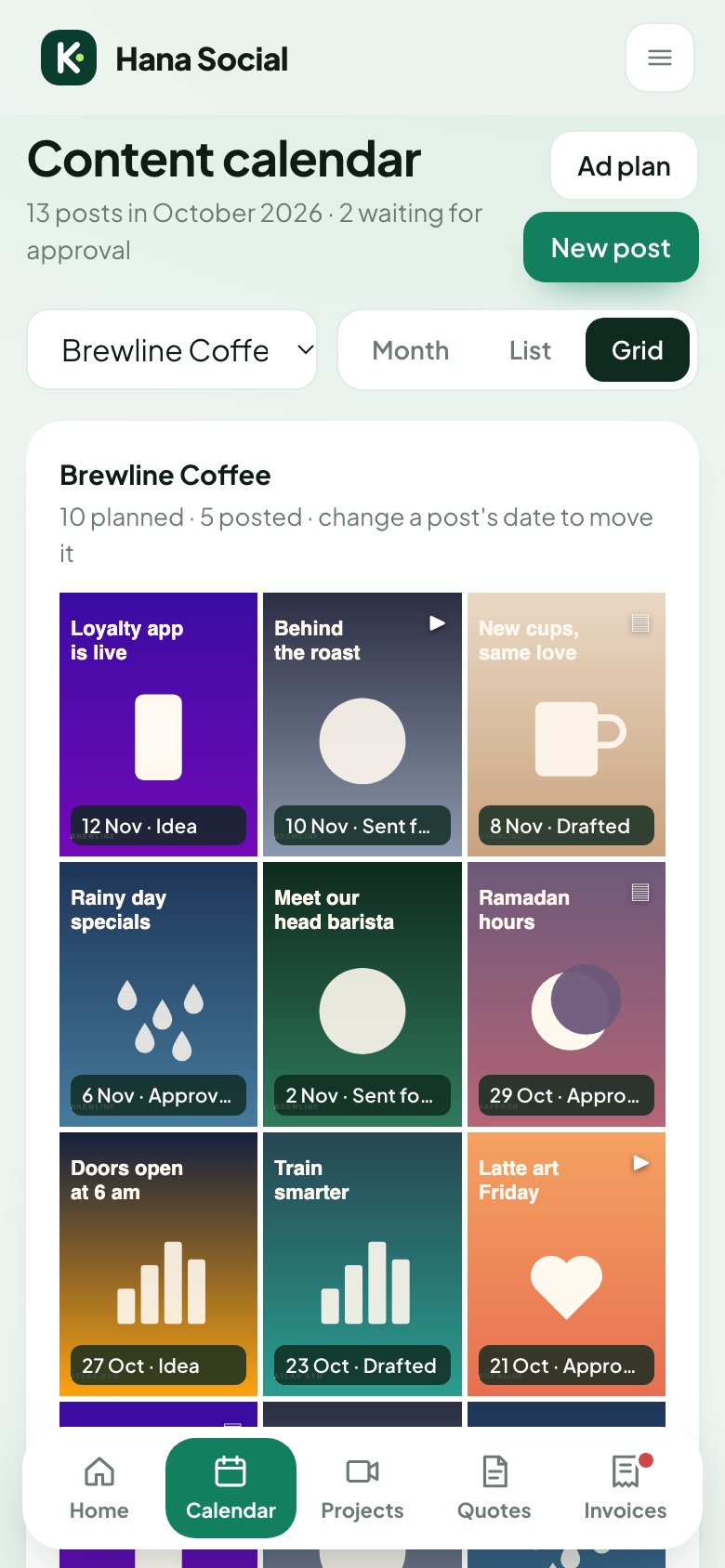
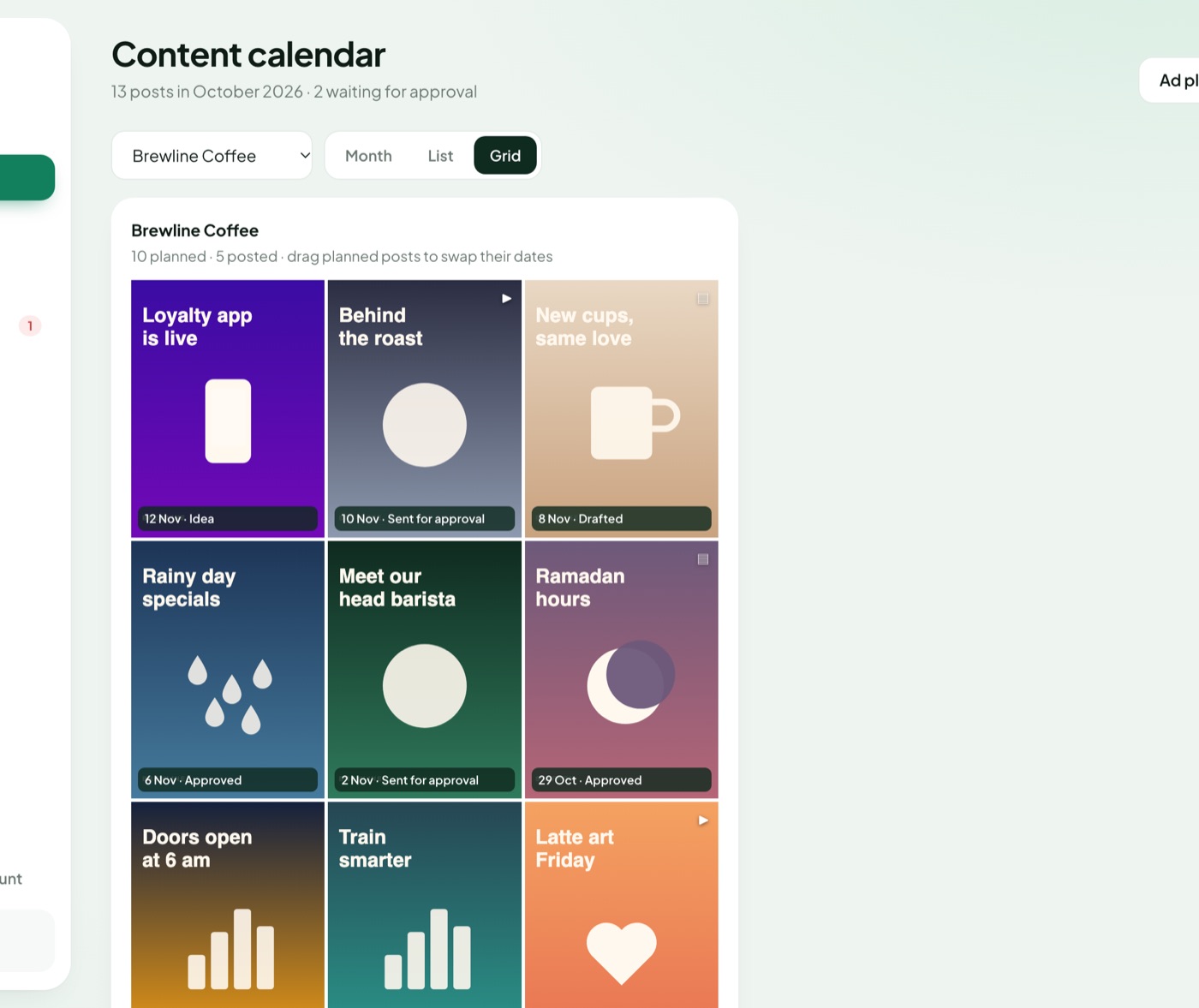
Posts with images, captions and hashtags, the Instagram grid, and ad plans in one place.
Plan every post with its images, caption and hashtags. See the month for one client or all of them, preview their Instagram grid, and keep ad plans in the same place. Posted content counts toward the package automatically.
- Month view, list view and Instagram grid
- Saved hashtag sets per client
- Ad plans with budget, dates and audience
One private link for each client
Clients see progress, approve posts and download invoices. No account needed.
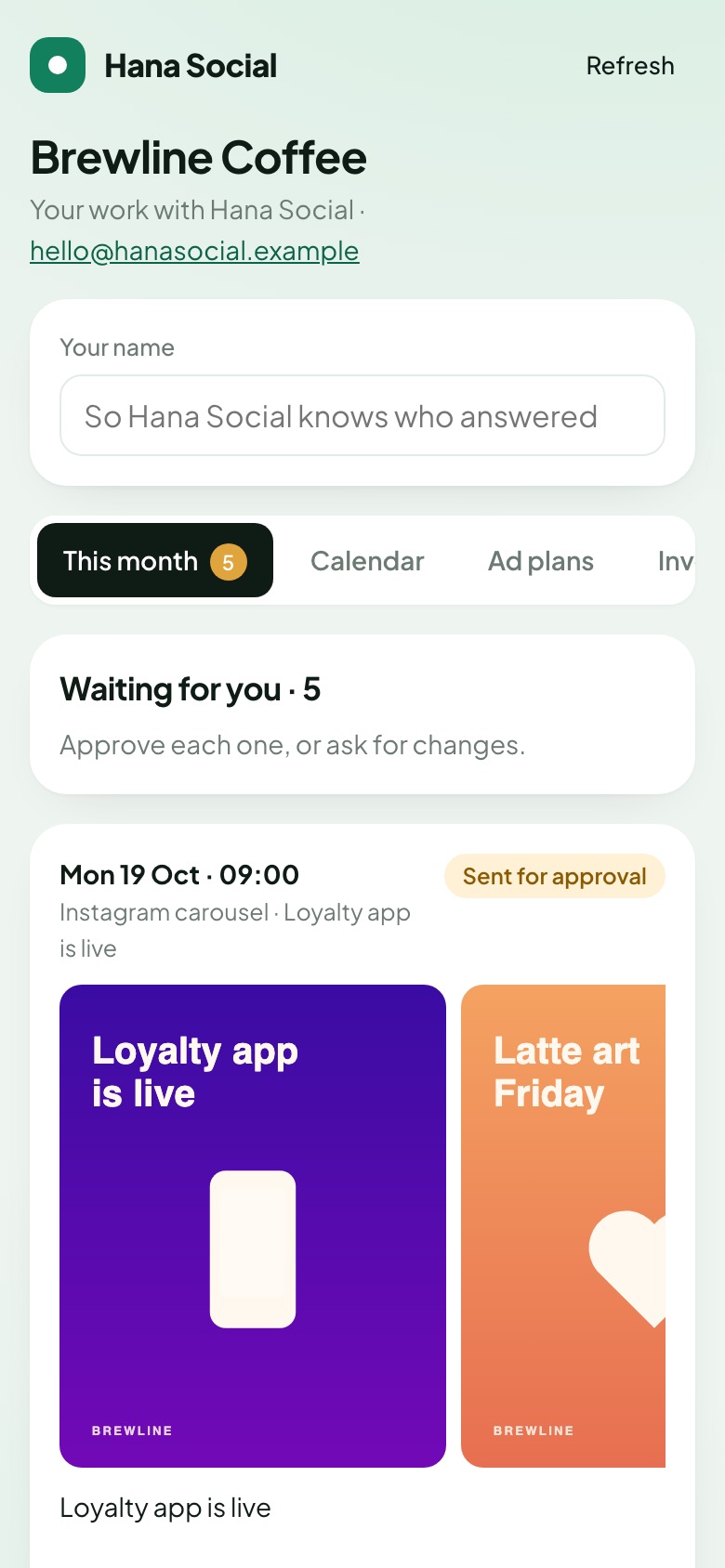
Clients see this month's progress, approve posts and ad plans or ask for changes, and download their invoices. No account, no password, nothing to install. Their answers land in your app within a minute.
- Approve, request changes or comment
- You choose what each client sees
- Turn the link off at any time
Proposals with a real timeline
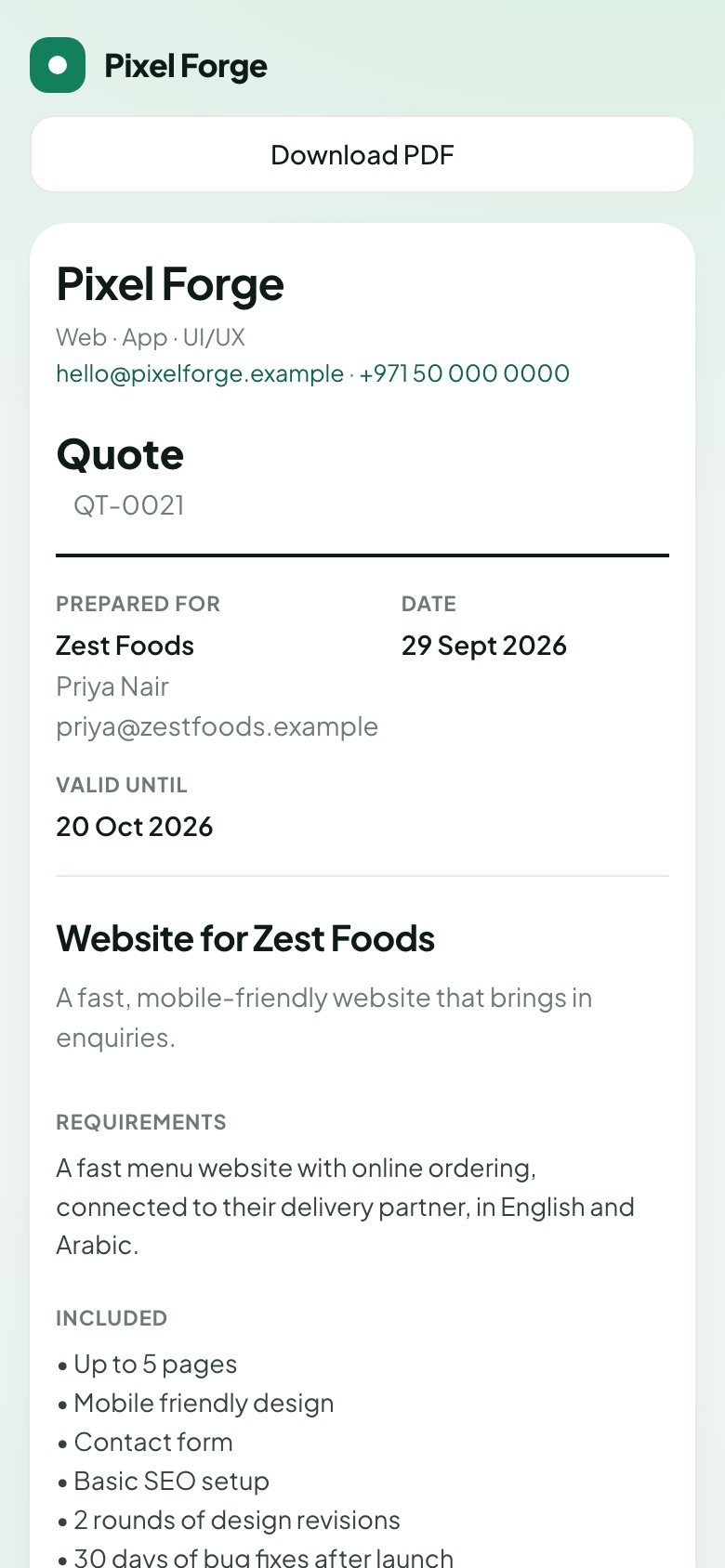
Requirements, scope and phases on a timeline. Fixed price with milestones, or per phase.
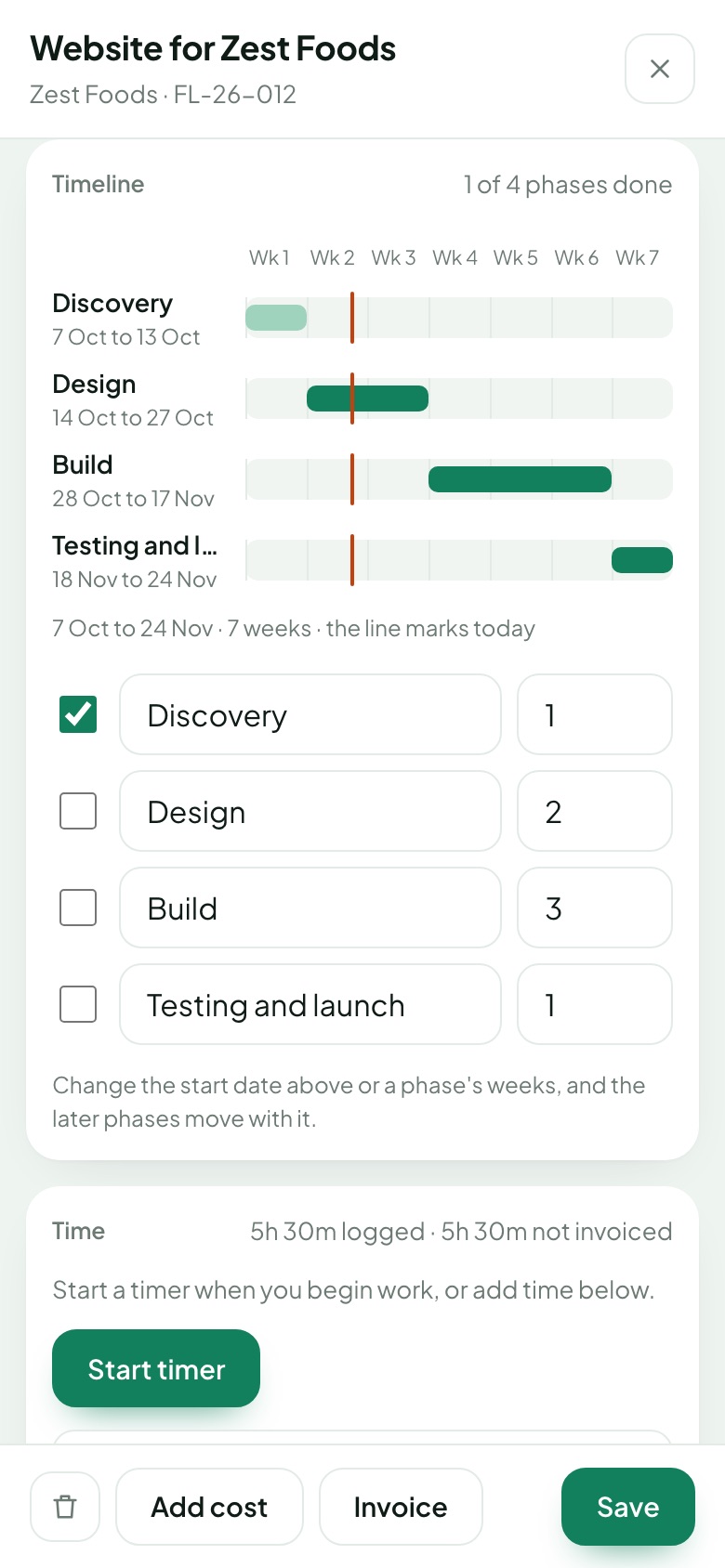
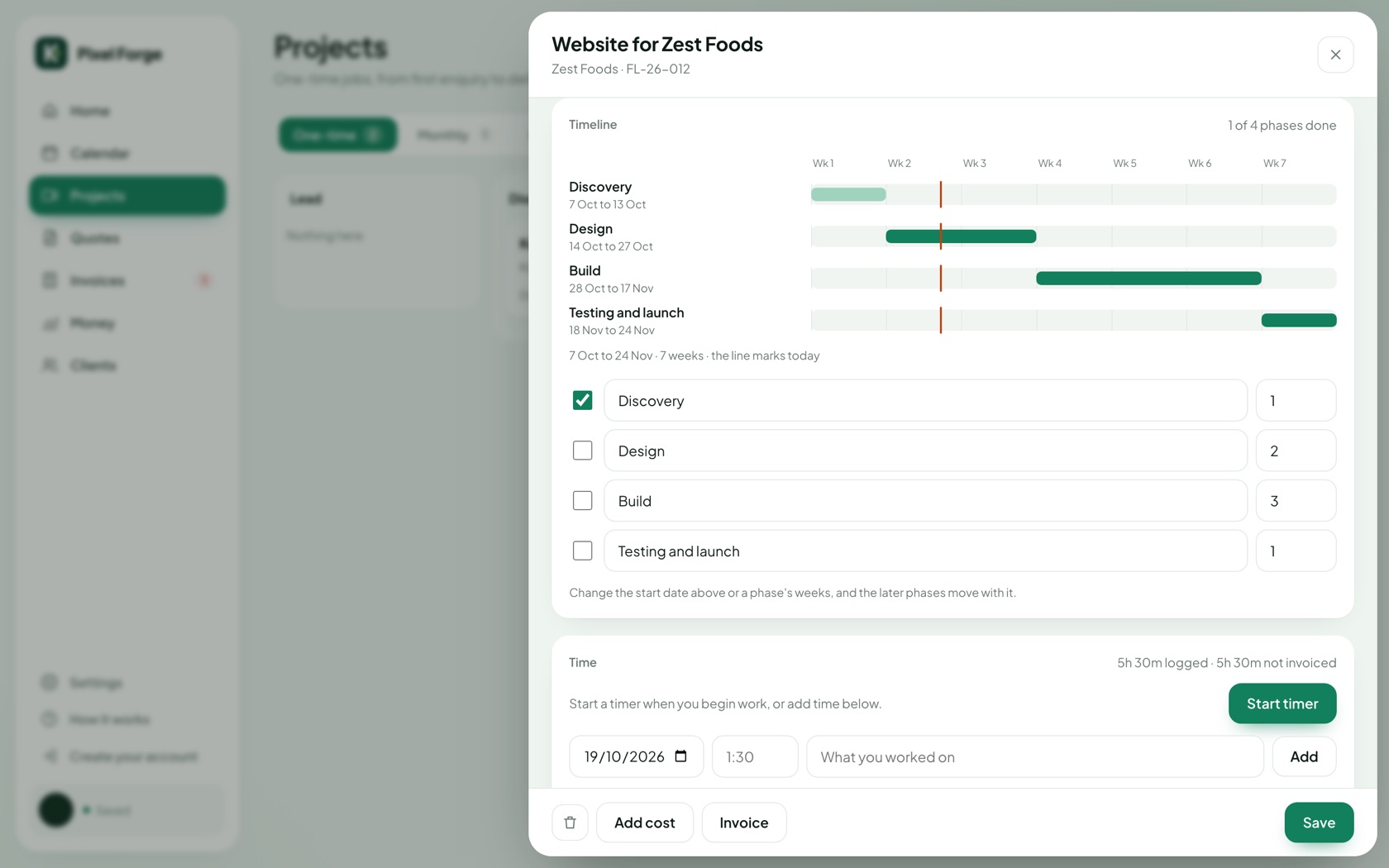
For websites, apps and bigger projects: requirements, what's included and what's not, and phases on a timeline. Charge a fixed price with milestones, or a price per phase. When the client accepts, the project starts with its timeline.
- Reusable templates, just change the requirements
- The timeline appears on the quote, the PDF and the project
- Tick phases off as you go
From first message to money in the bank
And the everyday things, done right
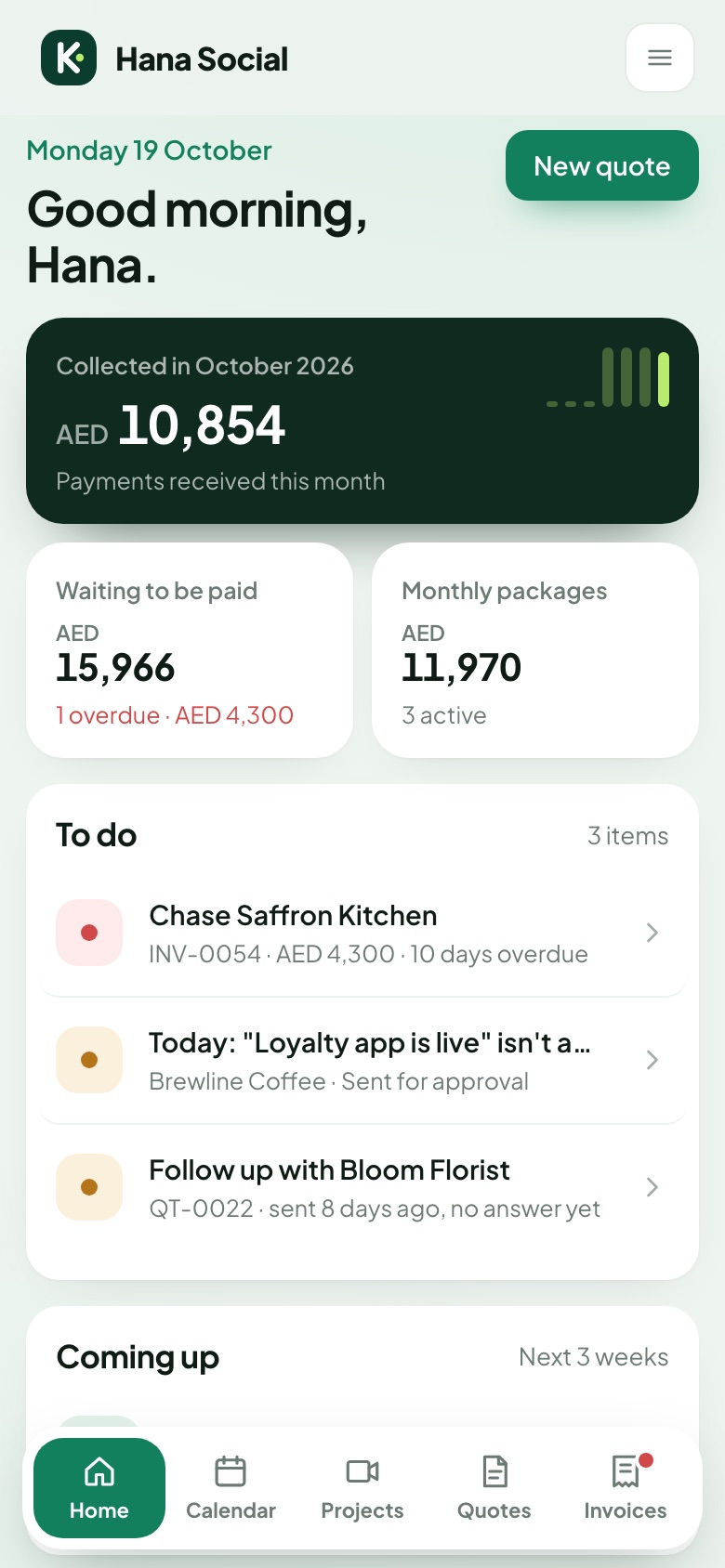
Record payments, see what's overdue, and send a polite reminder by WhatsApp or email in two taps.
Log each video or design as you finish it and invoice the whole month in one go.
Your logo on quotes, invoices, PDFs and the pages your clients see.
Income, costs and profit per project, with business and personal spending kept apart.
A timer and hours log per project, and invoices for the hours.
AED, USD, EUR, INR and more. VAT is optional and off by default.
Everything works on a phone, so you can log work and send invoices between shoots and meetings.
Saved to your account and synced across devices. Download a backup whenever you like.
Simple plans
Start free. Move up when the work grows.
Free
- Up to 3 clients
- Quotes, approval links and PDFs
- Invoices and payment tracking
- Automatic invoices for 1 monthly package
- 1 extra module: content calendar or proposals
- 200 post images
- Client dashboards
- Monthly reports and time tracking
Pro
- Unlimited clients
- Automatic invoices for every package
- Content calendar and proposals
- Client dashboards for 3 clients
- Monthly reports and time tracking
- 1,000 post images
- No "Made with Kanvo" line
Max
- Everything in Pro
- Client dashboards for every client
- 2,500 post images
- Priority support
- Early access to new features
During early access, new accounts are approved by hand and plans are set up for you after you sign up.
Questions
Do my clients need an account?
No. Clients open a private link to read and accept a quote, or to see their dashboard and approve posts. Nothing to install, no password.
Is there really a free plan?
Yes. Free covers up to 3 clients with quotes, approval links, invoices and one extra module. Upgrade when you need more.
How do I pay for Pro or Max?
During early access, plans are set up by hand. Sign up, then ask for Pro or Max from Settings and we'll switch your account. Online payment is coming later.
Why is my sign-up waiting for approval?
We're opening Kanvo to freelancers in small groups so we can help everyone get set up. Once your account is approved you can sign in straight away.
Does it work for my kind of work?
It starts set up for video and photo, social media, design and editing, development, and 3D and animation, and works for any service business. Try the live demo for your profession above.
Can I use my own currency and leave VAT off?
Yes. Choose your currency when you set up. VAT is off by default and you can turn it on with your own rate.
Does it work on my phone?
Yes. Everything works on a phone, from logging a delivered post to sending an invoice.
Spend less time on admin this month
Set up in a few minutes. Free for up to 3 clients.